Short answer: on a Fire TV Stick running Fire OS, install the free Downloader app, give it permission in Developer options, type the app code from your IPTVB welcome message, and log in. Count about 10 minutes. Sticks running Amazon’s newer Vega OS, such as the Fire TV Stick 4K Select, can’t install outside apps, so check your model first.
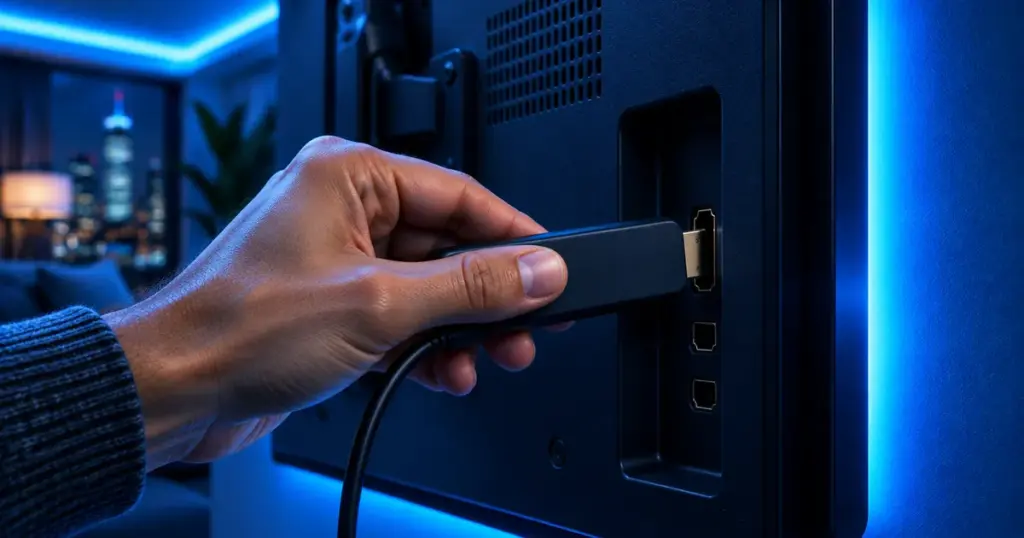
Fire TV Sticks are everywhere in American living rooms: inexpensive, plugged straight into an HDMI port, with a remote anyone can use. In 2025 and 2026, though, Amazon started shipping sticks on a different system, and that changes what you can install. This guide starts with that check, then walks through each screen.
Which Fire TV models can install IPTV apps?
Fire OS, Amazon’s Android-based system, accepts player apps installed through Downloader. Vega OS, the newer system on some recent sticks, only accepts apps from the Amazon Appstore, so Downloader and outside players won’t install, according to the list kept by AFTVnews.
| Fire TV model | System | Installs the IPTVB player? |
|---|---|---|
| Fire TV Stick 4K Plus | Fire OS | Yes |
| Fire TV Stick 4K Max | Fire OS | Yes |
| Fire TV Cube | Fire OS | Yes |
| Fire TV Stick HD (1st gen, 2024) | Fire OS | Yes |
| TVs with Fire TV built in | Fire OS | Yes |
| Fire TV Stick 4K Select (2025) | Vega OS | No, Appstore apps only |
| Fire TV Stick 4K (3rd gen, 2026) | Vega OS | No, Appstore apps only |
| Fire TV Stick HD (2nd gen, 2026) | Vega OS | No, Appstore apps only |
Not sure which one you own? Go to Settings › My Fire TV › About: AFTVnews notes that a software version beginning with 1 or 2 is Vega OS. If that’s you, skip this guide and use a Fire OS stick, a Google TV device, or a player on your smart TV, phone or computer; our setup guides cover each one.
Before you start
- A Fire OS stick, plugged into the TV and connected to your Wi-Fi.
- Your IPTVB login and app code, or a free 24-hour trial.
- The Fire TV remote and about 10 minutes.
Step 1: How do I install Downloader on a Fire TV Stick?
Downloader is a free Appstore app that fetches a file from a short code or web address. From the home screen choose Find, then Search, type Downloader, pick the orange app and select Get.
Step 2: How do I allow Downloader to install apps?
Fire TV refuses apps from outside the Appstore unless you approve the app that brings them in. You give that approval to Downloader once:

- Select the gear icon for Settings, then My Fire TV.
- No Developer options entry? Open About, click the device name seven times until a “you are a developer” message appears, then go back.
- In Developer options › Install unknown apps, switch Downloader on.
Approve only apps you trust. Amazon has said it blocks apps identified as giving access to pirated content on Fire TV, sideloaded ones included, as Android Central reported. Switch the permission off again once the player is installed.
Step 3: How do I get the IPTVB player onto the stick?
- Launch Downloader and accept the access request if one appears.
- Type the app code from your IPTVB message in the address field and press Go.
- When the file arrives, choose Install, then Done.
- Let Downloader delete the installer file to free space.
Step 4: How do I log in to the player?
You’ll find the player in Your Apps & Channels. Pick the Xtream Codes login and copy in four things from your welcome message: any profile name, your username, your password and the server address. Upper and lower case matter.
Xtream Codes and M3U are just two ways a player receives your channel list; our IPTV player apps guide explains the difference in plain English.
Step 5: How do I start watching?
The first login pulls in channels, the program guide, movies and series, so give it a minute. Then browse a category or search by name. To keep the player one click away, highlight it on the home screen, press the menu button (☰) and choose Move to the first row.
What if a step doesn’t work?
- No Developer options: in Settings › My Fire TV › About, click the device name seven times.
- Downloader missing from Install unknown apps: check for a system update under About, restart the stick and look again.
- The app code is refused: compare it character by character, then message us on WhatsApp for a fresh one.
- Login error: retype the username and password without spaces and double-check the server address.
- Freezing or buffering: an Amazon Ethernet adapter fixes many cases; our buffering guide lists the rest.
In crowded apartment buildings in New York, Chicago or Miami, evening Wi-Fi is a shared resource. The 5 GHz band or an Ethernet adapter keeps the stick steady; our city pages add local tips.
Just getting started? Read what is IPTV? and compare players on IPTV apps.
Frequently asked questions
Will IPTV install on every Fire TV Stick?
Only on Fire OS models such as the 4K Plus, 4K Max, Fire TV Cube and TVs with Fire TV built in. Vega OS sticks, including the 4K Select, take Appstore apps only.
How can I tell if my stick runs Vega OS?
Look in Settings › My Fire TV › About: a software version that begins with 1 or 2 means Vega OS.
Is Install unknown apps risky?
Not if you approve only apps you trust, and switch it off again once the player is installed; the player keeps working.
Do I need a VPN on a Fire TV Stick?
No. IPTVB works without one, and a VPN can make streams slower.
What internet speed does a Fire TV Stick need?
Around 10 Mbps per screen for HD and 25 Mbps for 4K, with 5 GHz Wi-Fi or an Ethernet adapter for the steadiest picture.
Can I use the same login on my phone?
Yes. Plans cover 1 to 5 screens at once, depending on the plan you pick.
What is the best IPTV player for Firestick?
TiviMate for a cable-style guide, IPTV Smarters Pro if you want the same app on your other devices. Both are free to start; compare them on IPTV apps.
Why is my IPTV not working on Firestick?
Check that the stick has internet, restart it from Settings › My Fire TV › Restart, and update the player app. If it plays but stops, see IPTV buffering; if it shows a message, the error codes guide explains it.
Want to test it first? Start your free 24-hour trial on WhatsApp; no credit card is needed.
Sources
- These are the Fire TVs that don’t support sideloading or Downloader – AFTVnews
- Fire TV is cracking down on piracy apps – Android Central
- Vega OS – Amazon Developer
- The Settings › My Fire TV › About screen on Fire TV devices